Seattle Genealogical Society Tip of the Week

Seattle

TIP OF THE WEEK – MANY WASHINGTON STATE DEATH CERTIFICATE IMAGES ARE AVAILABLE ONLINE
 

Washington state researchers are well aware of the Washington Death Certificates, 1907-1960 index online at FamilySearch.org, and have used it for years.
However, many are not aware that in many instances, digital images of these death certificates are available as well.

HERE’S HOW IT WORKS:
The process below seems long and cumbersome, and it is.  But once you try it and find the record you’re interested in, you’ll be glad.
1.First, access the above index, and confirm that there is a death certificate that you’d like to see, jotting down the specifics (county, date, ‘GS FILM NUMBER’ and IMAGE NUMBER.
[Note that at this time, the index itself doesn’t reveal whether an actual image is available, even when it does.]
2.Return to the familysearch.org main page;
3.Put your cursor over the word ‘Search’ in the top center of the page, and select Catalog from the dropdown menu;
4.Type ‘Washington’ in the “Search By” box, and the click on ‘Search.’ Then click on “United States, Washington,” the first entry in a long list that pops up.
5.This brings up a long list of all WA state records in the Family History Library Catalogue.  Scroll to the bottom, and click on ‘Vital Records (28).’
6.Scroll down to ‘Death Certificates WA State, 1907-1960,’ and click on that.
7.This brings up a list of all 988 of the films with death certificates.
To go directly to the microfilm reel you’re interested in, search for the film number you jotted down. (CTRL-F brings up the search menu; Command-F if you’re a Mac person)
8.Confirm that it is of the right place and date for your record.  If so, and if a ‘camera icon’ appears in the right column, you’re in luck!
9.Click on the camera icon.  This brings up all images on that reel.
10.Type the image number that you jotted down into the box and hit enter.
11.Now find the thumbnail image that is outlined with a square, and double-click on it. That should be the certificate.

The certificate can now be printed, copied or downloaded.

HAPPY HUNTING!
NEW Washington Digital Newspapers Website

NEW WASHINGTON DIGITAL NEWSPAPERS WEBSITE

“Extra, extra – read all about it!” Washington Digital Newspapers at the Washington State Library has a new website! And it’s mobile friendly!

New features include:

  • “One hundred years ago…” front pages from Washington newspapers
  • Links to WSL’s microfilm collections for a full list of titles, publication histories, and essays about the newspapers’ influence on their communities
  • Browse newspapers by title, calendar date, or full text searching
  • Search on the go using your smartphone or tablet

We are beginning to merge Washington State Library’s Historic Washington Newspapers Online collection with the titles digitized for the National Digital Newspaper Program for full text searching of all digitized titles. The newest titles digitized for Washington Digital Newspapers will be found exclusively at this new website.

Watch for over 50,000 digitized pages to be added to this new website by the end of 2016.

Check out the Tacoma Evening Telegraph now and soon we’ll have:

  • The Eatonville Dispatch
  • Dankse Kronike (Danish/English)
  • Dat Moi (Vietnamese/English)
  • Centralia Daily Hub
  •  Anacortes American

All newspapers dated pre-1923 are considered public domain and are an excellent primary resource for teachers, students, genealogists, and researchers. Questions about the new website? Please email Shawn Schollmeyer at shawn.schollmeyer@sos.wa.gov.

Tuesday Tip

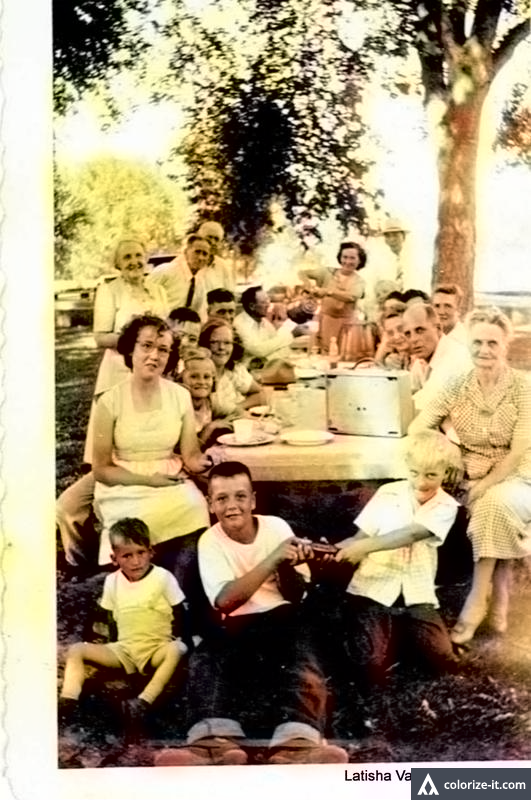
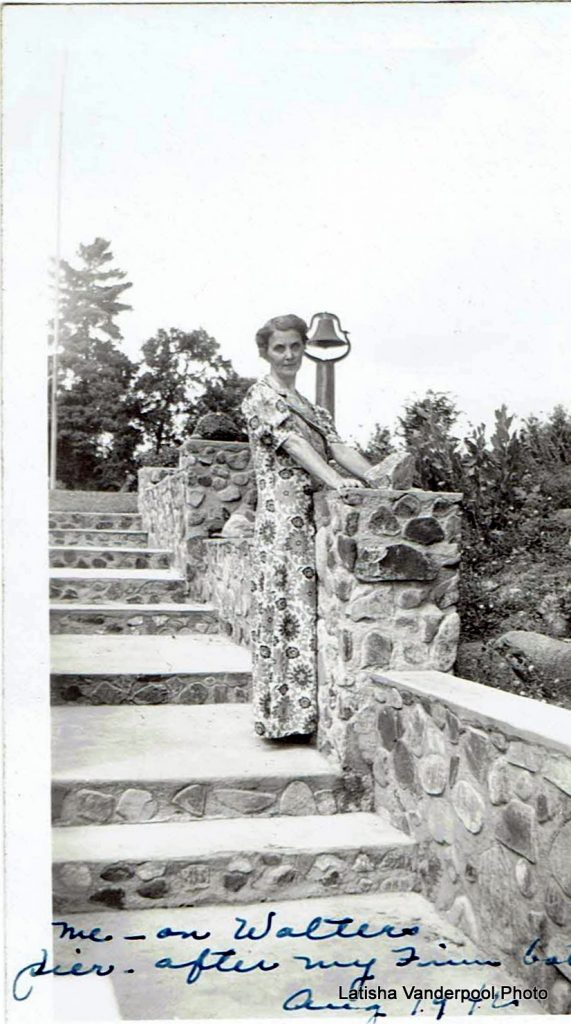
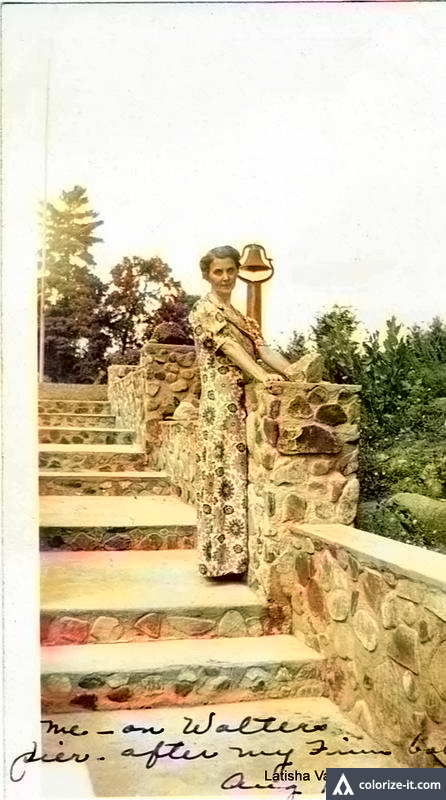
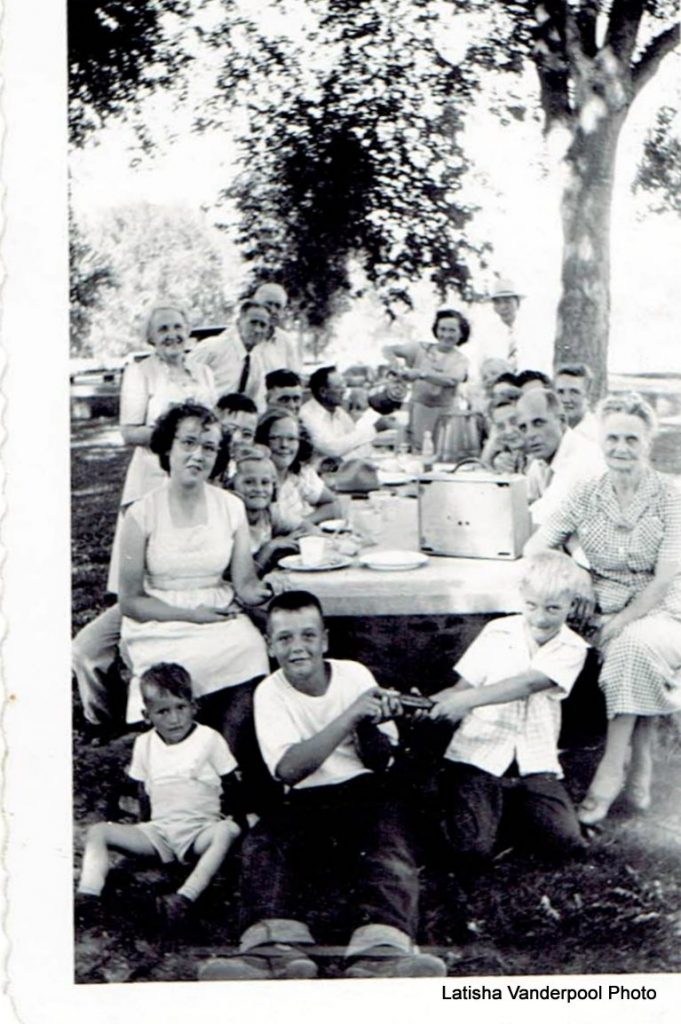
Dick Eastman had an article about a website that allows you to colorize your old black and white photos for FREE. It is available here for FREE.

I tried several photos that my Grand Aunt Latisha Vanderpool took years ago, so here is a couple of examples:


1948


19481 Bath


Bath1

Do these look better? Should we be fooling with old photos by colorizing them?

Seattle Genealogical Society Tip of the Week


Seattle
On Tuesday July 26, 2016 at 3 pm EST, the Digital Public Library of America (DPLA) is offering a free one-hour workshop webinar, DPLA for Genealogy and Family History.
The DPLA has recently formed a partnership with FamilySearch.org, the largest genealogy organization in the world. This workshop will introduce DPLA as a resource for family historians, genealogists, and anyone interested in learning about new research skills and the resource available through DPLA.
More information is available at https://dp.la/info/get-involved/workshops/
To register for this free workshop, go to https://attendee.gotowebinar.com/register/8913853291819344898

Seattle Genealogical Society Tip of the Week

Seattle

TIP OF THE WEEK – ORGANIZATION IDEAS

From the folks at “Family Tree Magazine”  online is a downloadable 14 page E-book,“Family Tree Tips: 23 Secrets to Organize Your Genealogy”, full of tips on organizing your genealogy data.  It’s absolutely free to anyone.  To read or download this E-book, go to the link below, fill in your email address,  click the “Get My Download” icon, click the “Download Now”.  The 14 page PDF will load. Read it in your browser or click the little “save to disk” icon in the left hand corner and save it to your computer.

http://www.familytreemagazine.com/family-tree-tips-23-secrets-to-organize-your-genealogy

Seattle Genealogical Society Tip of the Week


Seattle

TIP OF THE WEEK – CANADIAN RESOURCES

Earlier this month the Ontario Genealogy Society had their 2016 conference,  “Genealogy on the Cutting Edge”, in Toronto; 700 attended.   The Legal Genealogist, Judy G Russell, was a featured speaker.  As usually,  she has written a nice article informing her readers of some resources that may be new to them.  If you are researching your Canadian ancestors, check out her blog,  “O Canada”,  here :

O Canada!

Besides the “Library and Archives Canada”, which most Canada researchers would know about,  here are a few lesser known resources she has links to in her blog :

•Canadian.ca
•CanadaGenWeb
•CanGenealogy Historical Newspapers
•Archives of Ontario

Be sure to read the Comments Section written by other users.  They have a few more research recommendations such as The Glenbow Archives and the Surrey Public Library.

Seattle Genealogical Society Tip of the Week

Seattle


TIP OF THE WEEK – WRITTEN IN STONE

Anyone who has tried to glean information from an ancestor’s centuries old gravestone realizes while “written in stone” by definition means permanent, in reality weathering of the stone renders many inscriptions impossible or difficult to read.  Applying chalk, flour, cornmeal, cornstarch, shaving cream, or doing crayon rubbings  to make inscriptions more legible were once popular techniques.  Please do not use these substances. They may seem benign, but they are harmful.   Here’s a couple of tips using aluminum foil that are not harmful to the stone.

Aluminum foil impression  – this works best with the thinnest, cheapest foil you can find and a damp sponge or clean, soft brush such as a makeup brush. Apply the foil shiny side down on the gravestone and gently press the foil against the stone with a damp sponge or soft brush. Carefully remove the foil from the stone and almost magically things that had not been discernible to your naked eye appear imprinted in the foil.

Remember if you find it necessary to secure the foil to the gravestone, do not apply any tape directly to the stone. Instead encircle the gravestone with the foil, overlapping the ends, and only tape foil to foil. Some cemeteries don’t allow visitors to touch the gravestones at all so check that out before taking a foil impression.

Aluminum foil mirror –  cloudy overcast and shadows make older stones more difficult to read so try visiting cemeteries on bright, sunny days when the sun is high in the sky.  It’s also suggested you bring a large mirror to cast light diagonally across the face of a difficult to read gravestone like a professional photographer would use a silver reflector board.  The mirror should be taller than the headstone.   In place of a cumbersome and breakable full length mirror, cover a large piece of cardboard with aluminum foil, shiny side out.  Use this as your full length mirror. This technique will require two people; one to direct the light with the foil mirror and another person to do the reading and/or photography   Try adding a powerful flashlight to your arsenal of equipment.  Experiment with the angles and reflecting light back onto the gravestone.

Happy headstone hunting to you and here are two links as examples of what you might expect from an aluminum foil impression.

http://www.findagrave.com/cgi-bin/fg.cgi?page=gr&GRid=33059891

http://www.findagrave.com/cgi-bin/fg.cgi?page=gr&GRid=38952943

Seattle Genealogical Society Tip of the Week

Seattle

Tip of the Week – DNA LECTURES

Each spring one of the world’s largest family history events “Who Do You Think You Are? Live” is held in Birmingham, England.  Also known as “WDYTYAL” the principal sponsor is Ancestry.co.uk.

One of the major exhibitors at “WDYTYAL” is FamilyTree DNA who presents their ever popular DNA lecture series.   They have recorded some of these presentations and made them available on YouTube.  There are over 30 lectures in all; not only from this year, but also some from 2014 and 2015.

A few of the titles available to you from this year’s show are :

DNA demystified – A Beginner’s Guide to genetic genealogy, with Debbie Kennett, 55 mins
Finding Family with DNA testing: a genetic detective story, with Richard Hill, 37 mins
Genetic genealogy in the 21st century, with Katherine Borges. 27 mins
Autosomal DNA – how to use it in practice, with Maurice Gleeson, 55 mins

To see all the titles,  go to www.youtube.com  and search for “DNA Lectures – Who Do You Think You Are?”  or use this link :
https://www.youtube.com/channel/UC7HQSiSkiy7ujlkgQER1FYw

Seattle Genealogical Society Tip of the Week

Seattle


Tip of the Week – Ravenstein Atlas of Germany  

Courtesy of the University of Wisconsin an on-line version of Ludwig Ravenstein’s important “Atlas des Deutschen Reichs” published in 1883 is available to all and absolutely free.  In addition to Germany, the maps of this atlas also cover the bordering portions of present-day Austria, Belgium, the Czech Republic, Denmark, France, Hungary, Lithuania, Luxembourg, the Netherlands, Poland, the Russian Federation, Slovakia, and Switzerland. Even small towns can be located in this very detailed atlas.

There are 30 pages of index/gazetteer (namen-register) pp i-xxx, followed by 4 pages of statistics pp xxxi-xxxiv ,  and finally 11 map sections Ia, Ib, IIIa, IIIb through map section IX. Once you locate your town in the gazetteer portion, proceed to the map and quadrants cited in the gazetteer entry.

Navigating at this site is a little cumbersome and less than intuitive so here’s an example using a search for the town of Offenburg.    Proceed to the site:

https://uwdc.library.wisc.edu/collections/german/ravenstein/

•Click on the   BROWSE THE ATLAS
•Search for word or phrase within this work   Offenburg          Search

That returns 2 matches :
• “Namen-Register Page xix”   and
• “Statistische Page xxxiv”

Click on Page xix ; that displays a useless thumbnail of page 19 in the gazetteer, but above that you’ll see a PDF (154.8B) ; clicking on that opens the 30 page PDF of the gazetteer (takes a little while). Using the arrow, proceed to page 19 and find the Offenburg entry which cites map VII F6.  Back out of this PDF.

Click on the top line “Ravenstein, Ludwig Atlas des Deutschen Reichs”  which will take you to the contents page; find [Map section VII] and click on it. Again it opens a useless thumbnail of the map, but above that is the PDF(14.4MB) you need to click on. Voila, that displays a very detailed map you can Zoom In and Zoom Out at will.  This should keep you entertained for a while.

Seattle genealogical Society Tip of the Week

Seattle

Tip of the Week – Info Added to the American Ancestors Database at SGS

The following Family Search Collections are only some of the U.S. records recently added to the American Ancestors database that you can access from our computers at the SGS Library.

United States Vital Records collections (#of records in parentheses):

Illinois, Cook County, Birth certificates, 1871-1940, (2,400,900)
Indiana, Births and Christenings, 1773-1933  (103,680)
Indiana Marriages, 1790-1992  (5,951,441)
Iowa, Deaths and Burials, 1850-1990  (693,974)
Iowa, Marriages, 1860-1992  (7,661,803)
Georgia, Confederate Home Records, 1901-1930  (1,282)
New Jersey, Births, 1670-1980,  ( 1,107,159)
New Jersey, Deaths, 1670-1988  (654,798)
Utah, Birth Certificates, 1903-1914  (53,183)
Missouri, Civil Marriages, 1820-1874  (5,668)
Tennessee, Church Marriages, 1810-1965  (1,533)
Oklahoma, School Records, 1895-1936  (90,841)
Montana, Chouteau County Records, 1876-2011  (8,857)
Montana, Granite County Records, 1865-2009  (4,960)
Georgia, Deaths, 1928-1940  (485,669)
New Jersey, Births and Christenings, 1660-1980  (1,148,023)
New Jersey, Marriages, 1670-1980  (581,963)
New Jersey, Marriages, 1678-1985  (324,149)
Minnesota, Marriages, 1849-1950  (438,331)
Texas, Laredo Arrival Manifests, 1903-1985  (866,687)
Montana, Mineral County Obituaries, 1870-1910  (5,266)
Massachusetts, Births, 1841-1915  (3,831,485)
United States Passport Applications, 1795-1925  (2,528,371)
United States War of 1812 Index to Service Records, 1812-1815  (1,130,851)

This is a sampling of the over 2,100 collections from all over the world that have been added to Family Search in the last six years. It may be worth your time to look at what is now available to you without having to drive to Salt Lake City!

To access the list go to FamilySearch.org, click on “Records”, on that page click on “Browse All Public Collections” which will show you “Historical Records Collections”; click on “Last Updated” which will reorganize the records, showing you the most recent additions first.

Happy Hunting!

*************************************************